
Model guides
Becoming a star: Advanced level
7 Photos & Videos
Build loyalty with your users by sharing images and videos on your profile to invite them to create new experiences with you!
Where can I find this feature?
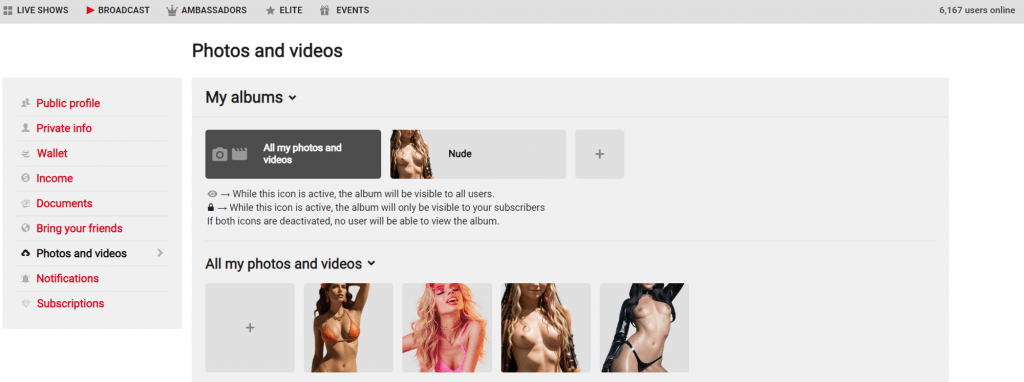
To get started, go to Manage your account > Photos and videos. There you’ll find two main sections:
- My albums
- All my photos and videos
How to upload and organise content
In “All my photos and videos”: Click the box with the + sign. You can choose to upload files directly from your device or select content you’ve already uploaded previously.
In “My albums”: You can also add content by clicking the + sign. In this section you can organise your material, add a name and description to your media, edit it or delete it whenever you like.
Album Visibility and Privacy
Important note: Albums are not marked as visible automatically, so you’ll need to enable their visibility manually.
You now have 5 privacy options to control exactly who sees your content: Public, Hidden, Followers, Buyers and VIPs Only.
To set an album’s privacy:
- Go to Manage account > Photos and videos.
- Enter the My albums section.
- Select the album you want to edit and click Configure (or open its options menu).
- Select Change visibility, choose your preferred option from the dropdown menu and save the changes.
Content Management
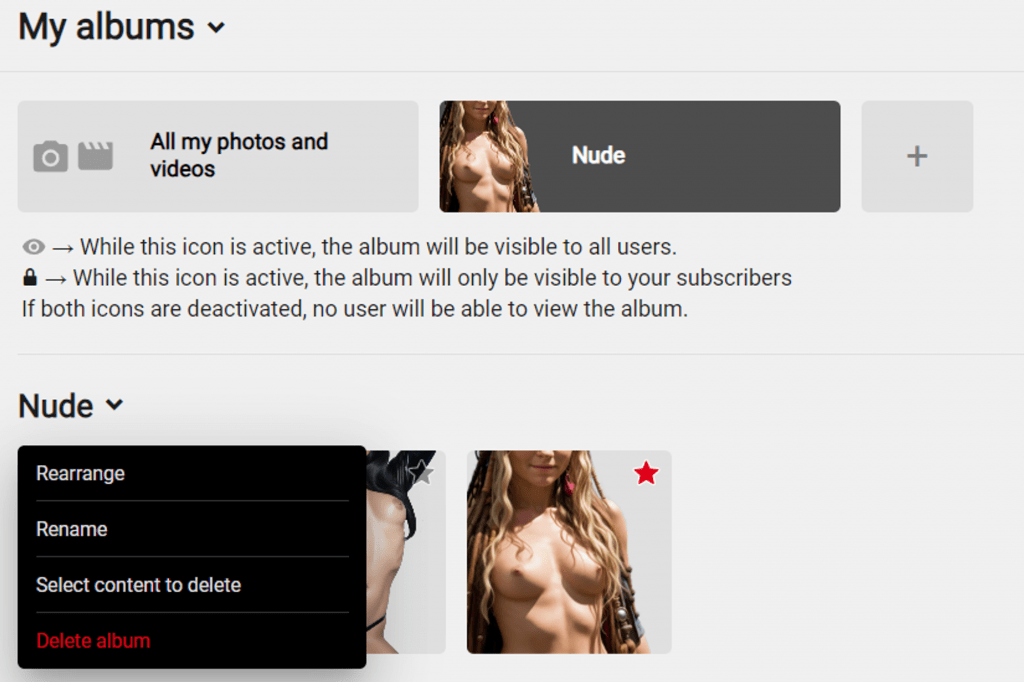
Next to each album title you’ll find a downward arrow. Clicking it gives you access to the following management options:
- Reorder
- Rename
- Change visibility
- Select media to delete
- Delete album