
Model guides
Getting started: Basic level
3 How to earn $
On the site, users buy coins to tip in the rooms on a voluntary basis. So, as models we have several options available to put on an amazing show and receive the coins that the users have to offer.
- Activate bots
- Create games
- Set up Privates
- Private Messages
- VIP Users
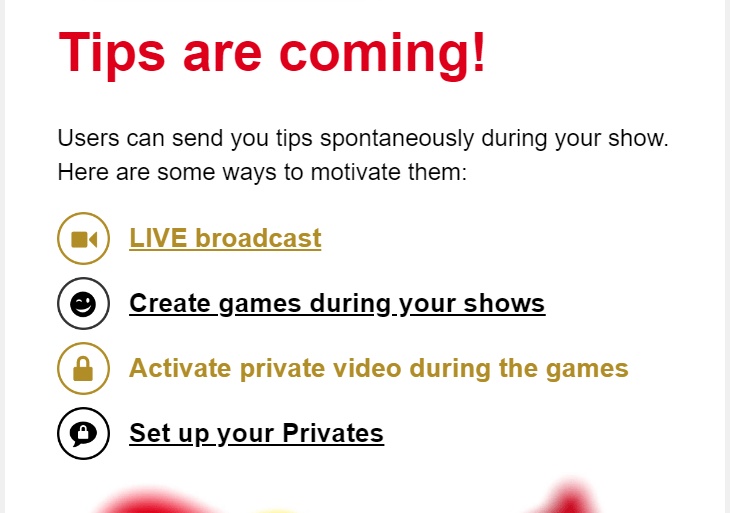
Bots
- Tip Menu
- VibraLush
- Dice
- VibraLush Lovense
- Roulette
- My Messages
Games
- Goals
- MultiGoal
Note: More detailed information about the Bots and Games can be found in the Cam Model Intermediate Guide.
Privates
We have three types of Privates:
- Private: Allow for exclusive video, audio, and chat with the lucky user. I can set a specific amount of coins per minute and define the minimum duration. Additionally, I can activate the option for “spies” for a certain amount of coins, allowing users who contribute to view what is happening.
- Exclusive private: Have the same benefits as the previous type in terms of video, audio, and chat. The distinction is that this type does not allow for “spies” and has the wonderful opportunity for video calls (c2c), meaning only in this type of private session can the user activate the mini-camera with audio.
- LITE Privates: These are an amazing option designed to help you attract more users in an easy and accessible way. We’ll explain all the details a bit later.
Settings available for both types of Private Shows and Exclusive Privates
- Select up to 8 tags to give users an idea of the things we do in a Private.
- Enable or disable the option for users to show their webcam (only video without audio).
- Block users by clicking on their username, and then pressing the “Block Privates” option, in case we don’t want to have a Private with them again.
Note: We can customize the Privates in the Settings tab under the broadcasting window. Also, it is important to note that they can only be initiated by users.
LITE Privates
LITE Privates are offered at a fixed price of 600 coins per minute, making this feature irresistible for those hesitant to take the plunge. The goal? Gain more visibility, secure additional private sessions, and naturally, boost my earnings.
Activating this feature provides incredible benefits that truly make a difference:
- EXTRA Traffic Boost: More users will discover me! I gain greater visibility on the web.
- Promotion on the New Landing: I appear in a special section dedicated to models with LITE Privates, providing an additional push.
- +20% Camscore: My score is directly increased, helping me rise in the rankings.
- Exclusive Identifier: I receive a special tag in the “Privates” section, making it easy for users to find me.
- Sponsored Minutes: During promotions and events, the platform gifts LITE Private minutes to users to use with me. They enjoy the experience, and I still get paid.
Activating LITE Privates is super easy. Here’s how you do it step by step:
- Go to “Settings” in your broadcast panel.
- Look for the LITE Privates option and activate it.
- That’s it! Now, you’re ready to start broadcasting and enjoy all the advantages.
Things to keep in mind while using LITE Privates:
- During this time, Private Shows and Exclusive Privates will be deactivated.
- It’s important to broadcast at least 30 minutes with the option activated to enjoy all benefits before you can deactivate it.
- Privates are automatically accepted, ensuring I don’t miss any.
Here are some tips to make the most out of this feature:
- Engage Users: Think of LITE Privates as a short and intense “first date.” The idea is to capture their interest so they want to return for your private or exclusive shows.
- Warm Up the Room: Use LITE Privates to energize your room and attract new interactions, especially when user activity is low.
- Promote Your Activation: Use all available channels to announce that you have LITE Privates activated. Utilize your message bot, social media, and profile description to create excitement and interest.
This is your perfect opportunity to captivate all those hesitant users, turn them into loyal fans, and elevate your earnings to the next level.
Private Messages
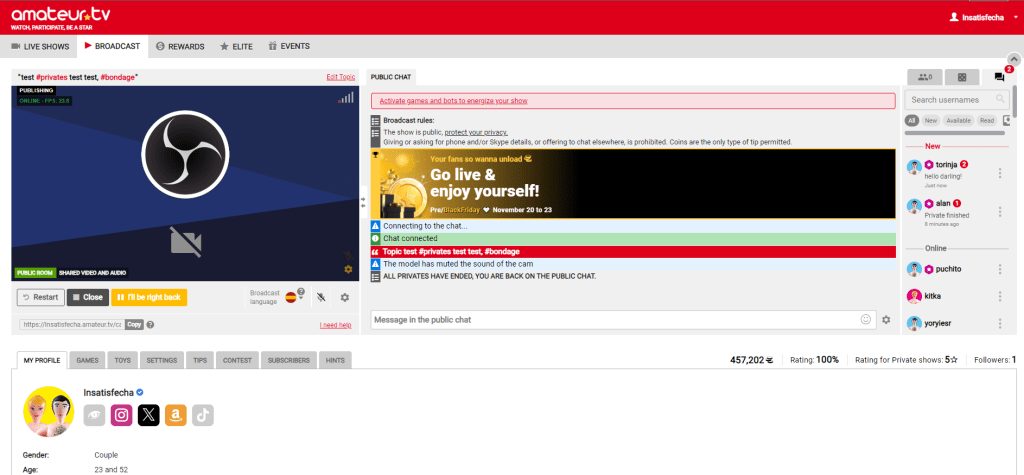
Private Messages is a way for us to directly chat with a user to gain their interest in a more intimate way. This option is located in the broadcast window next to the users and games tab. Unlike in Privates and Exclusive Privates, users don’t have to pay to send messages, however they can send tips. And if we ever need to, we can also block users from sending us Private Messages.
Also, users can tip in our rooms directly if they wish, it all depends on how the show is flowing. And, they can do it offline if we’re not broadcasting. They can enter our profiles and tip whatever they want. 😉
VIP USERS
Goodbye to traditional subscriptions! We’ve updated our platform to offer you a more dynamic, engaging and profitable tool for both you and your fans: the new VIP Users system.
VIP status automatically rewards your most loyal users based on their engagement and direct spending in your room. Here we explain in detail how it works and how to set it up to boost your earnings.
What is the VIP System and why is it better than subscriptions?
The VIP system grants 30 days of special status to users who reach a coin threshold that you set yourself.
It’s progressive: Users have no time limit to accumulate their coins; they can keep adding support show after show until they reach the goal.
It boosts engagement: It rewards real spending and ongoing support during your broadcasts.
Which interactions count towards VIP status?
For a user to reach the threshold, the following coins sent to you are counted:
- Direct tips during your LIVE Shows.
- Games and Bots active in your chat.
- Tips sent during Private Shows, Exclusive Private Shows or LITE Shows.
Important – What does NOT count towards VIP:
- Website rewards or promotions (Happy Hours, Red Days, etc.).
- Tips sent within Private Messages (PM).
- Per-minute charges for Private, Exclusive or LITE Shows.
How to set up your VIP Threshold, step by step
Defining your level of exclusivity is very simple:
- Go to your user panel and click BROADCAST to enter the broadcasting panel.
- Go to Settings > VIP Users.
- Select one of the 5 available threshold levels.
- That’s it! The system will activate the feature and show your users how far they are from becoming VIP.
Tip: You can check the list of your fans with VIP status at any time from the BROADCAST panel, in the MY VIPS section located below the streaming window.
Coin Strategy: which threshold should you choose?
You can adjust the requirement level according to the size and maturity of your community:
- 10,000 coins (Accessible): Ideal if you’re a new model or building your first audience.
- 15,000 coins (Moderate): The perfect middle ground between accessibility and exclusivity.
- 25,000 coins (Medium-High): Recommended if you already have a regular group of tippers.
- 50,000 coins (Exclusive): Designed for established models with very active fans.
- 100,000 coins (Ultra Exclusive): Reserved for Top Models looking to offer an extremely Premium treatment.
Can I change my threshold later?
Yes, you can change it whenever you want. If you decide to raise or lower the level, it won’t affect users who are already VIP; they will keep their 30 days intact.
Exclusive Benefits for your VIP Users
When they become a VIP of your room (benefits do not apply in other models’ rooms), your fans get key incentives to keep spending:
- Private Messages (PM): They can start private chats with you directly (a unique VIP benefit that not even ELITE users have) and send you photos.
- Highlighted Presence: Visual VIP badge and an icon with special typography in the chat.
- Exclusive Access: Entry to your photo galleries and VIP albums.
- Fun Extras: Use of special Emojis and GIFs in your room.